Review in context
Open the PDF in the workspace and move through pages without separating the document from the review.

Clinical review application
A focused browser workspace for reviewing a PDF, marking passages, organizing feedback, and preparing a clear export.
What it does
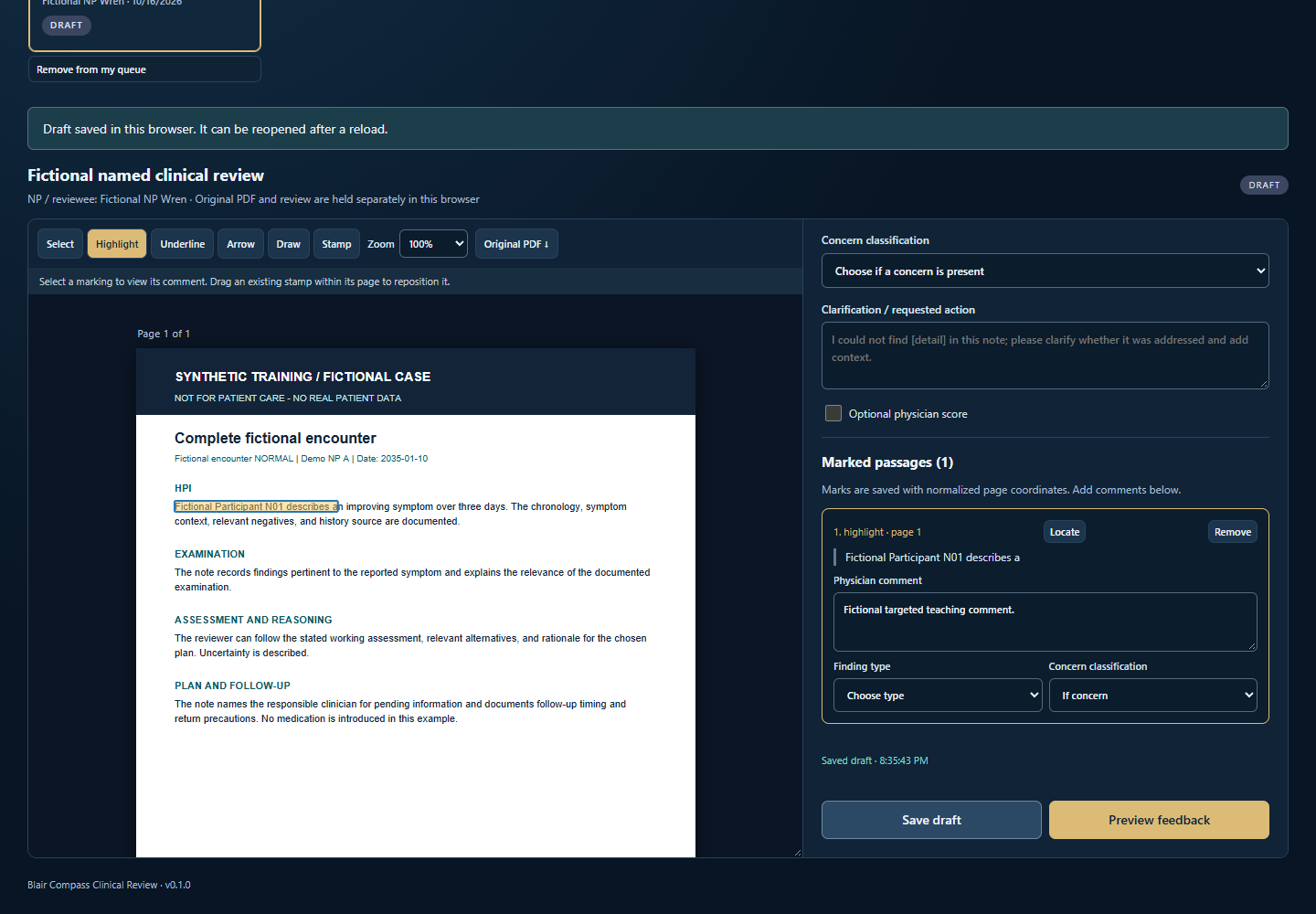
Clinical Review Desk keeps the source page, marked passage, concern classification, and reviewer comment together so the next conversation starts with clear context.
Open the PDF in the workspace and move through pages without separating the document from the review.
Highlight, underline, draw, add arrows, or place stamps, then attach the feedback to the marked passage.
Preview organized feedback and choose the supported export action when the review is ready.
A look inside
The example below uses a fictional case to show how source material, markings, classification, and comments stay together.
How it works
Approved colleagues use the emailed one-time passcode flow to enter the protected application.
Select the document and work in the active review session.
Connect each marking to a concern classification and a useful comment.
Check the feedback as a whole, then use the supported export action you intend.
Data handling
Active Session work and Saved drafts are deliberately separated in the application. Review material remains in browser application storage unless the reviewer chooses a supported export action.
Use the application within your organization's approved privacy, security, and records-handling practices. Access control, browser storage, and export boundaries support responsible use but do not replace those organizational requirements.
Access
The request receiving address is being finalized. This page will add the verified contact route when it is ready. People who already have approval can use Sign in now.
Return to the official directory for calculators, workflows, clinical decision support, and applications.